

Choosing Between Build and Quick Build
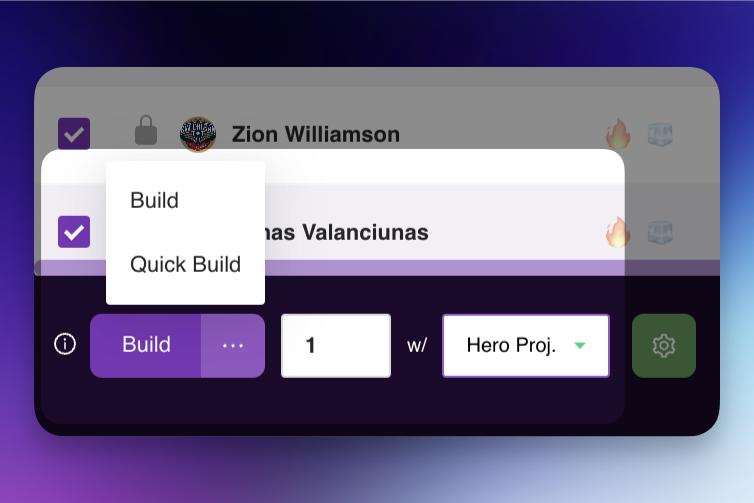
In DFS Hero, we offer two lineup-building options to fit different needs and lineup volumes: Build and Quick Build . Here’s how each works and when to choose one over the other.
Build
Build is our classic lineup-building experience. With this method, you specify the number of lineups you want to generate in a single build session. This option is ideal if you’re looking to build up to 500 lineups . It provides a straightforward approach where the system works through each lineup in sequence, delivering a cohesive set of lineups in one build session.
When to Use Build:
- If you’re generating 500 or fewer lineups .
- When you want a simple, straightforward build process for a smaller set of lineups.
Quick Build
Quick Build is our new and enhanced multi-build experience. Unlike the classic Build, Quick Build allows you to run multiple builds concurrently , optimizing the process for creating a large volume of lineups. This option is ideal for anyone needing to build over 500 lineups or who wants their lineups generated quickly. Quick Build launches multiple lineup-building tasks at once, combines the results, removes duplicates, and groups everything into one consolidated build.
When to Use Quick Build:
- If you’re generating more than 500 lineups .
- When you want to generate a large number of lineups faster.
- For optimized performance when handling higher lineup volumes.
Summary
- Build : Recommended for 500 lineups or fewer —a simple and classic build.
- Quick Build : Best for over 500 lineups —faster and ideal for large volumes.
Choosing the right option will enhance your lineup-building experience, ensuring you have the right tool for your lineup volume and timing needs.
Was this article helpful?